
Your brand. Your templates. Ready every time you scan.
Stop setting up your floor plan design every time. Custom templates let you save your branded designs once and reuse them on every floor plan order, automatically.


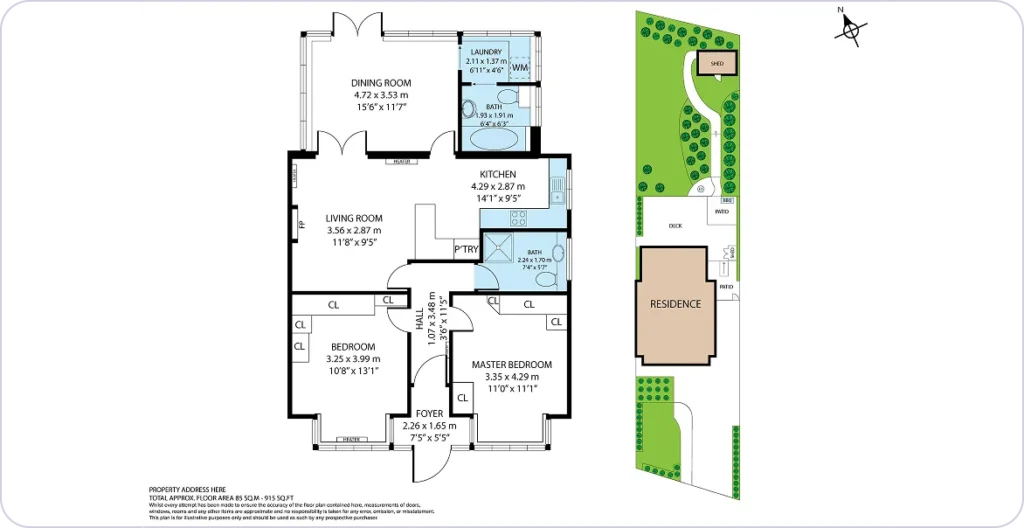
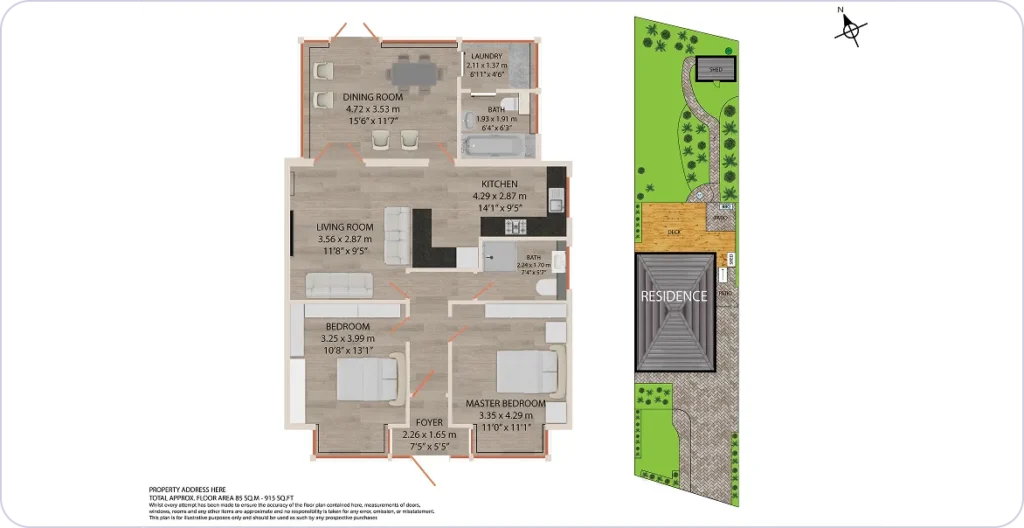
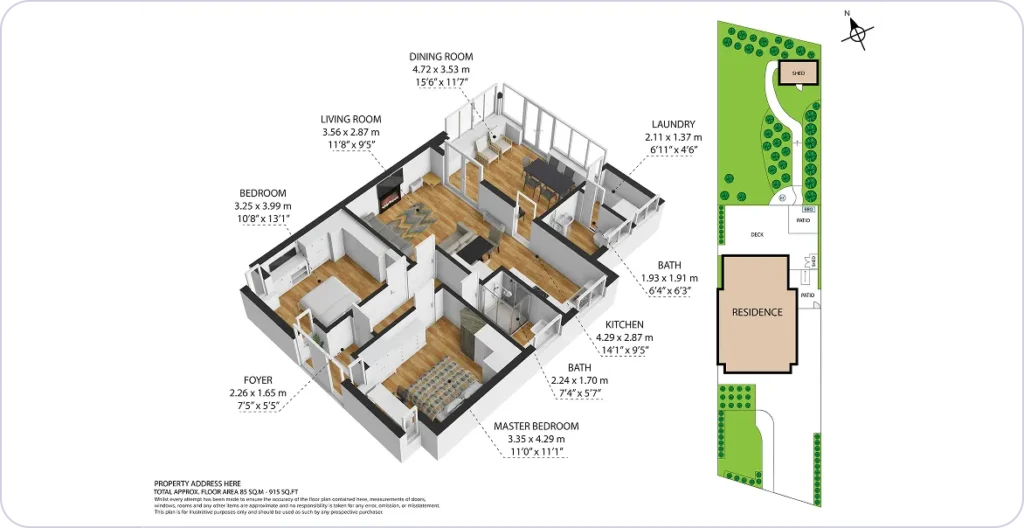
Two ways to create your perfect template
Express upload
Already have an existing floor plan template design you use? Upload it directly and we’ll replicate it exactly, ready for easy ordering every time.
- Upload your existing design
- We replicate it exactly
- Ready to use on your next floor plan order
Customisation
Start with a Roomio default template and make it your own. Upload your logo and add design elements until your template is exactly right.
- Start from a Roomio default
- Add your logo and branding
- Save and reuse on every floor plan order
* If ordering a floor plan immediately after creating a brand new custom template, skip the Express delivery option. We need a little extra time to set up your new design.
More ways to save time on every order
Custom template notes
Save specific instructions for each template. They pre-fill automatically on every order. No more typing the same instructions to our design team every time.
Multi-template orders
Order multiple 2D and 3D template styles within a single order. No more separate requests for each style. Get everything you need in one go.
Floor plan editor
Need to fix a label or tweak text? Edit any text field yourself via the web portal, save, and export in seconds. No amendment request, no waiting.
Saved to your account
All your custom templates are automatically saved to your account. The next time you scan they’re ready and waiting, so you spend less time setting up and more time scanning.
Custom room labels, with your wording
If you rename “Lounge” to “Living” or “Main Bedroom” to “Primary Bedroom” every time a plan comes back, you can now save these as default for all orders.
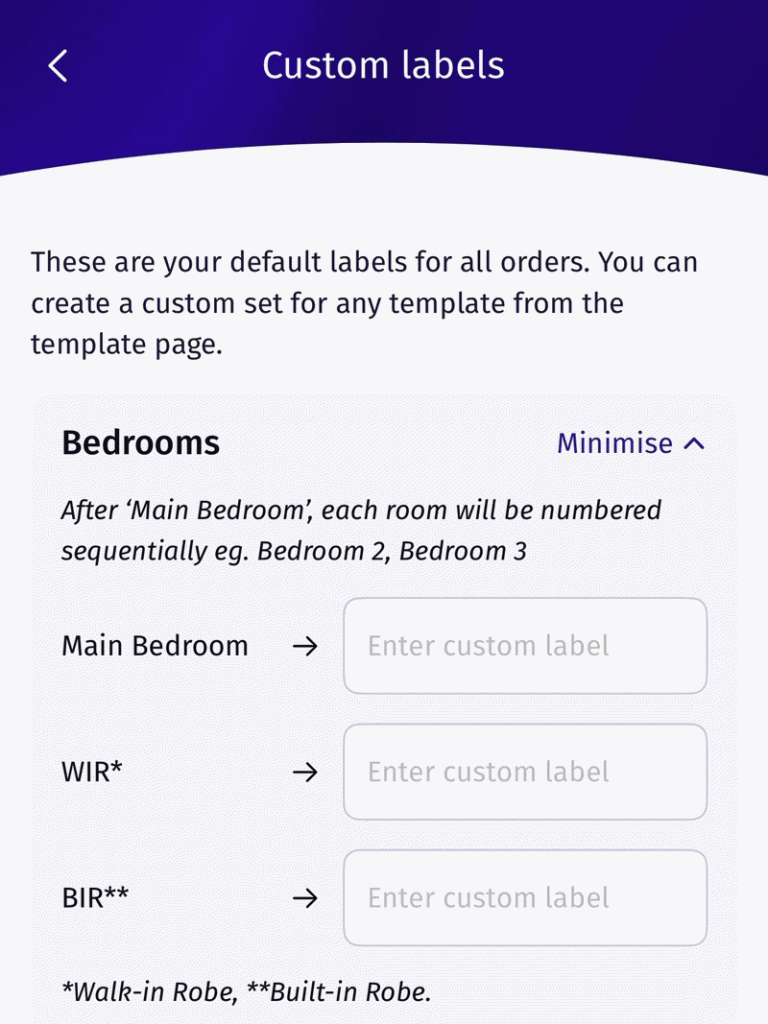
Account default
Set your labels once in the Roomio app and they become the default on every future floor plan order.
- Open Settings, then Custom Labels
- Rename any of the 25 labels
- Applied automatically on every order
Per template
Set room labels on an individual custom template, so each agency you work with gets its own wording.
- Open your custom template
- Set the labels for that template
- Orders using it use the template’s labels
Ready to create your first custom template?
Download Roomio and set up your custom template in minutes.